
🎮 Facebook Lite Works but the Regular Facebook App Doesn’t: Device GPU Driver and Rendering Error Explained
If Facebook Lite opens instantly, scrolls smoothly, and behaves exactly as expected, while the regular Facebook app either crashes, shows a blank or white screen, freezes on launch, or never renders the feed at all, you are not dealing with an account issue, a network problem, or a corrupted cache. This very specific contrast between Facebook Lite and the full Facebook app almost always points to a device GPU driver or rendering pipeline error, a low-level problem that sits between your hardware and the app’s visual engine 🎮📱.
This scenario is especially misleading because Facebook Lite creates a false sense of reassurance. Users naturally assume, “If Lite works, Facebook should work too.” In reality, the opposite is often true. Facebook Lite is designed to avoid advanced graphics acceleration entirely, while the regular Facebook app relies heavily on GPU-driven rendering, hardware acceleration, and modern UI compositing. When that graphical foundation is unstable, Lite survives and the full app fails.
🔍 Definition: What Does This Specific Behavior Actually Tell Us?
When Facebook Lite works but the standard Facebook app does not, it tells us with high confidence that authentication, network connectivity, DNS resolution, and account permissions are all functioning correctly. Facebook Lite still uses Facebook’s servers, APIs, and security model. The difference lies almost entirely in how the interface is rendered.
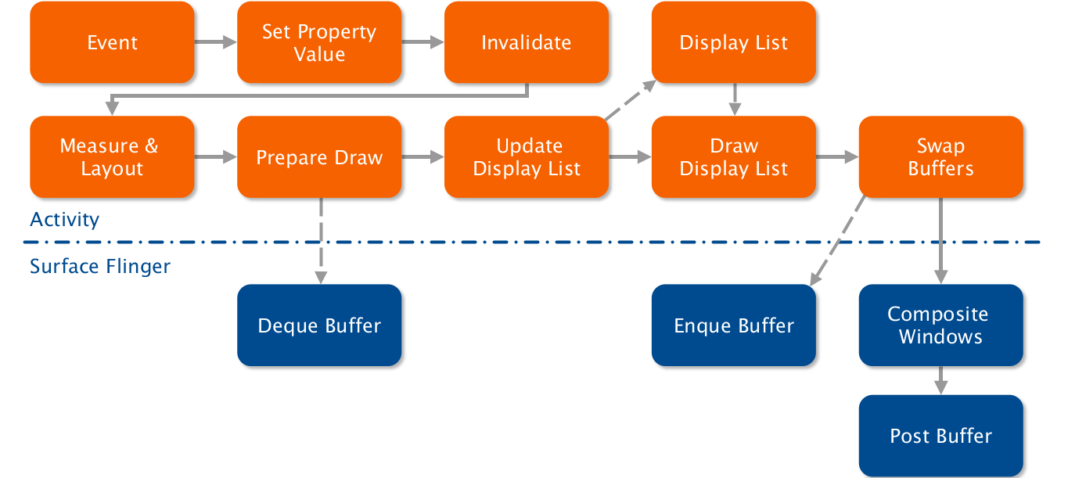
The full Facebook app uses complex animations, video surfaces, GPU-accelerated scrolling, WebView rendering, and hardware compositing. Facebook Lite, on the other hand, relies on simplified layouts, CPU-based rendering, and minimal graphical effects. If the GPU driver cannot correctly interpret or execute the rendering instructions sent by the Facebook app, the UI fails to draw, even though the app itself is technically running 😶🌫️.
📌 Why This Issue Is More Common Than People Think
Many Android devices run with GPU drivers that are rarely updated independently. Budget phones, older models, devices with MediaTek or less commonly updated Mali GPU drivers, and manufacturer-customized Android builds are particularly prone to this issue.
Facebook updates its UI framework frequently, adopting newer rendering techniques, shaders, and compositing behaviors. When these expectations exceed what a device’s GPU driver can handle correctly, the result is not always a crash. Often, the app launches, allocates resources, and then silently fails to render anything meaningful. To the user, this looks like Facebook being broken, when in reality the GPU is refusing to cooperate ⚠️.
🧠 How GPU Driver and Rendering Errors Are Created
GPU rendering errors usually emerge from gradual divergence rather than sudden failure. A device may receive Android security patches but not updated graphics drivers. The Facebook app updates its rendering engine, enabling new UI paths. The GPU driver technically supports the required APIs, but contains bugs in edge cases involving transparency layers, texture uploads, or hardware-accelerated WebView surfaces.
As soon as Facebook attempts to draw complex elements such as the News Feed, stories carousel, or embedded video surfaces, the rendering pipeline breaks. Facebook Lite never triggers these paths, which is why it continues to work flawlessly while the full app fails repeatedly 😵💫.


🛠️ How to Confirm a GPU Rendering Issue Without Guessing
The strongest indicator is consistent visual failure. If Facebook crashes or stays blank every time, regardless of network, account, or cache state, while Facebook Lite works perfectly, the problem is almost certainly graphical.
Another key signal is device specificity. The same Facebook account works normally on another phone, even with the same Android version, but fails on this particular device. That eliminates account and server-side causes entirely.
A practical confirmation method is enabling or disabling hardware acceleration in developer options or system WebView settings, if available. On some devices, forcing GPU rendering off or toggling WebView implementation changes Facebook’s behavior immediately, confirming that the rendering path itself is unstable 🧪.
📊 A Real-World Diagnostic Example
In one real case, a mid-range Android device running Android 11 consistently failed to load Facebook after an app update. Facebook Lite worked perfectly. The device used an older Mali GPU driver that had a known issue with certain OpenGL ES operations. Downgrading the Facebook app or disabling system-level hardware overlays temporarily restored functionality. The user described it as “Facebook suddenly remembering how to draw,” which is exactly what happened once the rendering path changed 😊.
📈 A Metaphor That Makes the Difference Obvious
Think of Facebook Lite as a simple pencil sketch and the full Facebook app as a detailed oil painting. If the canvas or brushes are damaged, the sketch still works, but the painting fails completely. The content is the same. The tools are not 🎨🖌️.

❓ Frequently Asked Questions (FAQ)
- Why does Facebook Lite work but Facebook doesn’t?
Because Lite avoids GPU-accelerated rendering. - Is this a Facebook bug?
Indirectly, but it is triggered by GPU driver limitations. - Can reinstalling Facebook fix it?
Rarely, unless it changes the rendering path. - Does Android version matter?
Yes, but GPU driver version matters more. - Is this common on older phones?
Yes, especially those with outdated drivers. - Can WebView updates affect this?
Yes, WebView uses GPU acceleration internally. - Does disabling animations help?
Sometimes, by reducing rendering complexity. - Is this related to overheating?
No, it is a driver-level compatibility issue. - Can factory reset fix it?
Only if it restores a stable driver state. - Is this permanent?
It can be, unless drivers or app behavior change.
🤔 People Also Ask
Why does Facebook show a blank screen but Lite loads content?
Because the GPU fails to render advanced UI layers.
Can GPU bugs affect only one app?
Yes, especially apps with complex graphics.
Why does the app open but not display anything?
Because rendering fails after launch.
Is this caused by low RAM?
No, this is a graphics pipeline issue.
Should I keep using Facebook Lite?
Yes, if the device GPU cannot reliably support the full app.
✅ Final Thoughts
When Facebook Lite works flawlessly but the regular Facebook app refuses to load, the problem is rarely mysterious once you understand the role of GPU drivers and rendering pipelines. Facebook Lite succeeds because it asks very little of your hardware. The full Facebook app fails because it expects a modern, stable graphics stack that your device may no longer reliably provide. In these cases, the most stable solution is not endless troubleshooting, but recognizing the hardware boundary and choosing the version of the app that works with it rather than against it 😌📱.
You should also read these…
- getaluck.com – from floor to ceiling full comfort with floorlayer
- noepic.com – side hustle ideas that require minimal upfront cos
- huesly.com – japandi style blending japanese minimalism with sc
- hogwar.com – before problems happen on twitter x building a rob
- huesly.com – churches mosques synagogues and which communities
- soturk.com – twitter x sharing errors via external tools ifttt
- axtly.com – reaching tweet limits twitter x current limits and
- spyfrogs.com – timeline wont refresh cache and network fixes for
- hogwar.com – twitter x safe mode enabled engagement dropped how
- surgeblog.com – deep dive cultural immersion in oaxacas indigenous